
Install Clash Verge on Windows, Linux, and macOS
This guide provides direct and GitHub downloads for Clash Verge, installation notes for Windows, macOS, and Linux, subscription import steps, TUN and system-proxy configuration, and basic troubleshooting.
Download and install
- Clash Verge for Windows x64, with system-proxy and TUN support:
- Clash Verge for Intel and Apple Silicon Macs:
Debian / Ubuntu / Deepin: choose a
.debpackage matching your system architecture:CentOS / Fedora / SUSE: choose a matching
.rpmpackage from GitHub Releases.Arch Linux / Manjaro / SteamOS: follow the AUR route in the official installation guide. AUR is a community packaging channel, not a binary installer published directly by the project.
Install the package appropriate for your platform. This guide recommends Clash Verge because it has a graphical interface and integrated TUN support.
Platform notes
- Windows: Enable service mode and TUN mode after installation, then enable the system proxy.
- macOS: Move the app to Applications, grant network permissions on first launch, and enable either the required proxy or TUN settings.
- Linux: Match the package to your distribution and architecture:
.debfor Debian / Ubuntu / Deepin,.rpmfor CentOS / Fedora / SUSE, and the AUR route for Arch-based systems. Then start the service and configure TUN according to the distribution's requirements. - Subscription: Have a valid proxy-service subscription URL ready to import.
Import and configure a subscription
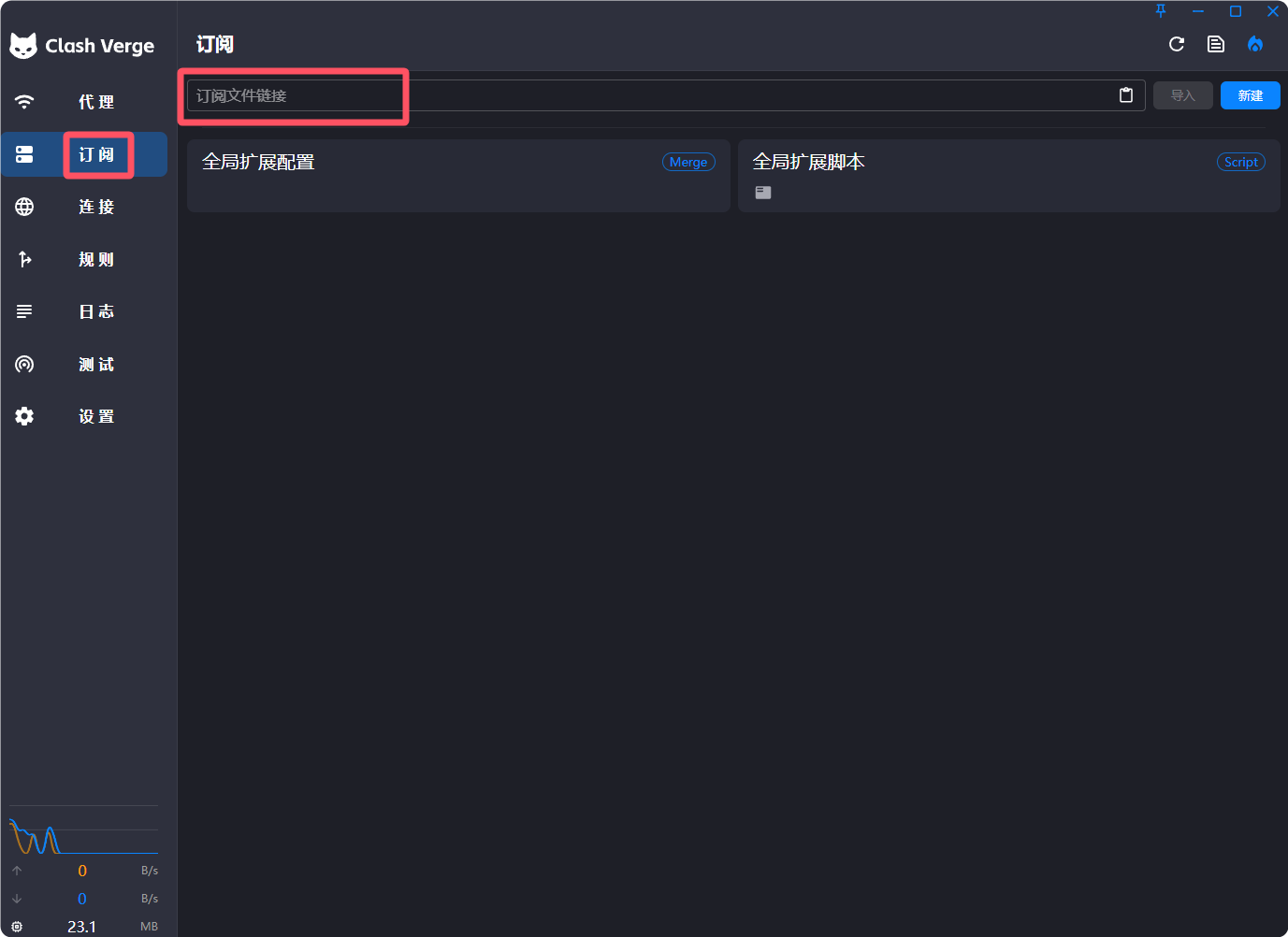
Open Profiles or Subscriptions, paste the subscription URL into the input, and select Import.
If you do not have a subscription URL, consult the proxy-service selection and review guide.
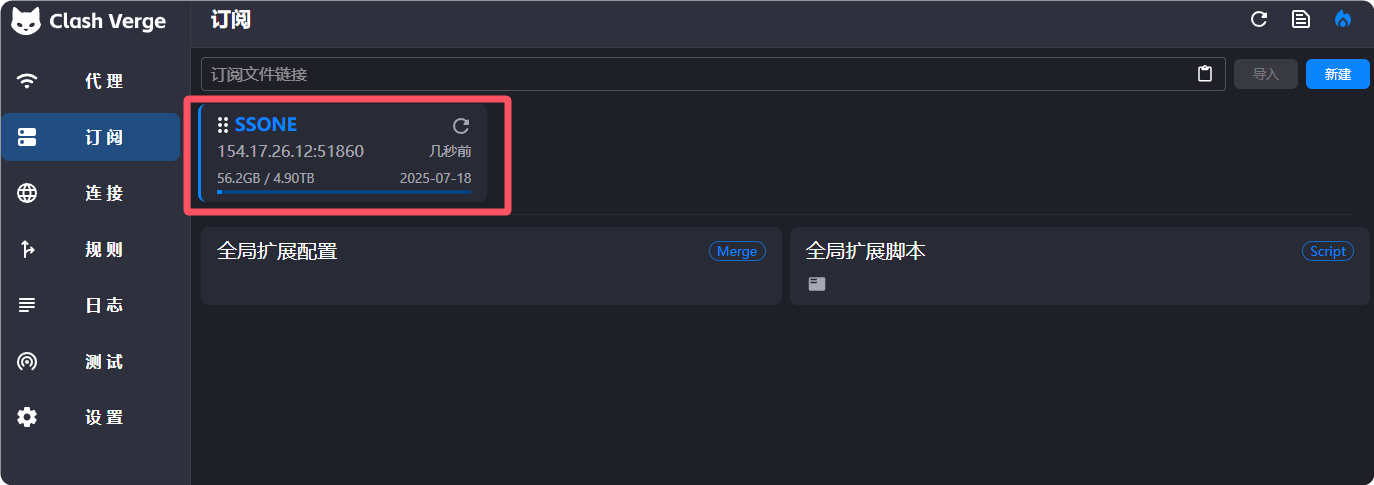
After a successful import, the subscription appears in the list.
The default update interval shown in the source guide is 1,440 minutes, or 24 hours. Adjust it if needed.
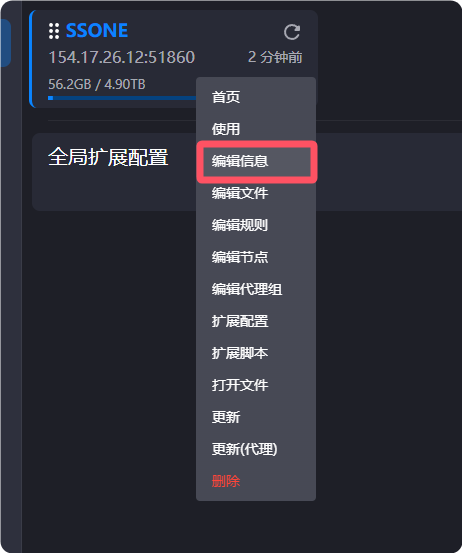
Right-click and select Edit Profile to change the update interval, URL, or name.
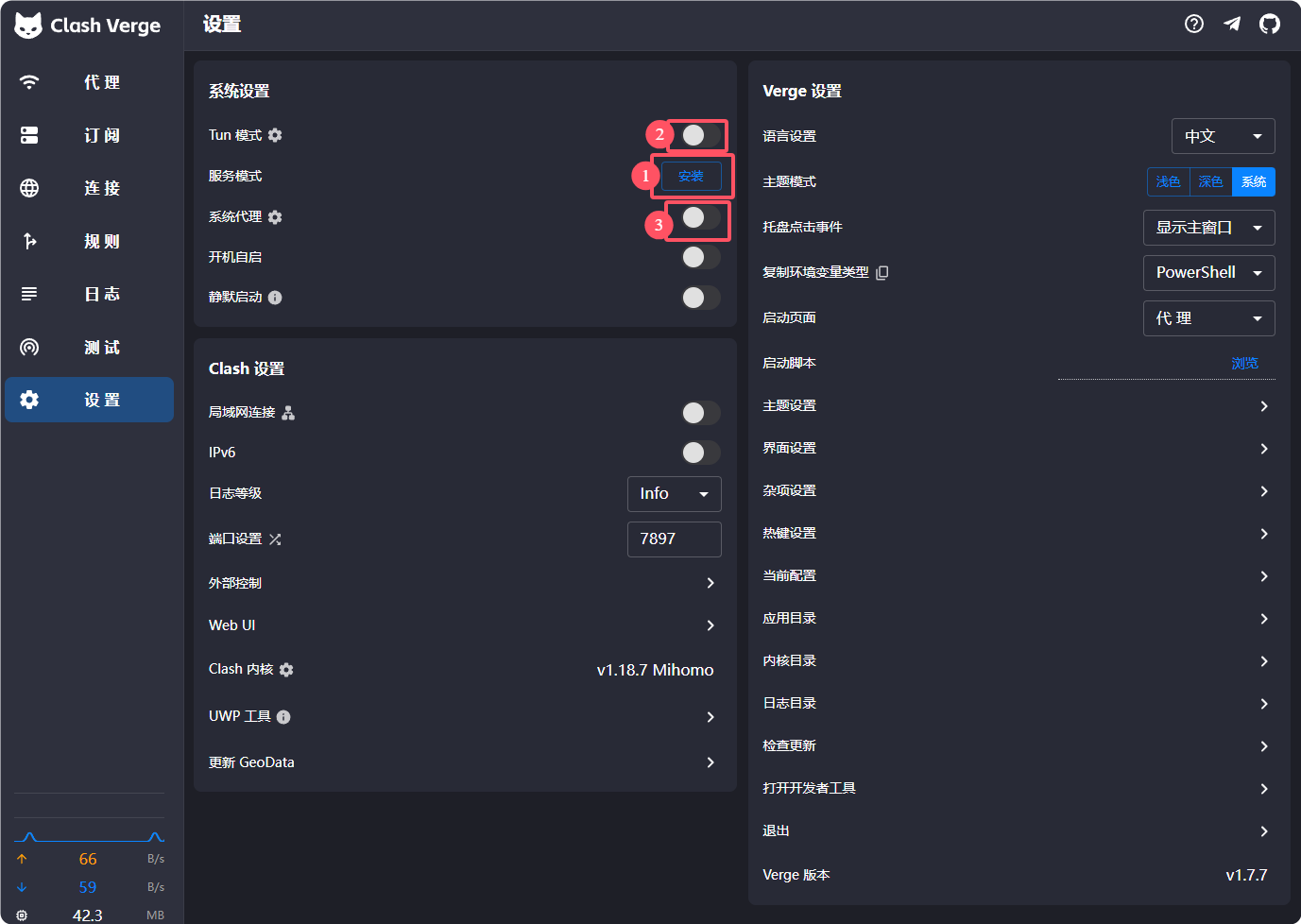
In Settings, install service mode, start it after installation, then enable TUN Mode and the System Proxy as required by your version and platform.

Finally, open Proxies and confirm that the mode is set to Rule.
Test the connection
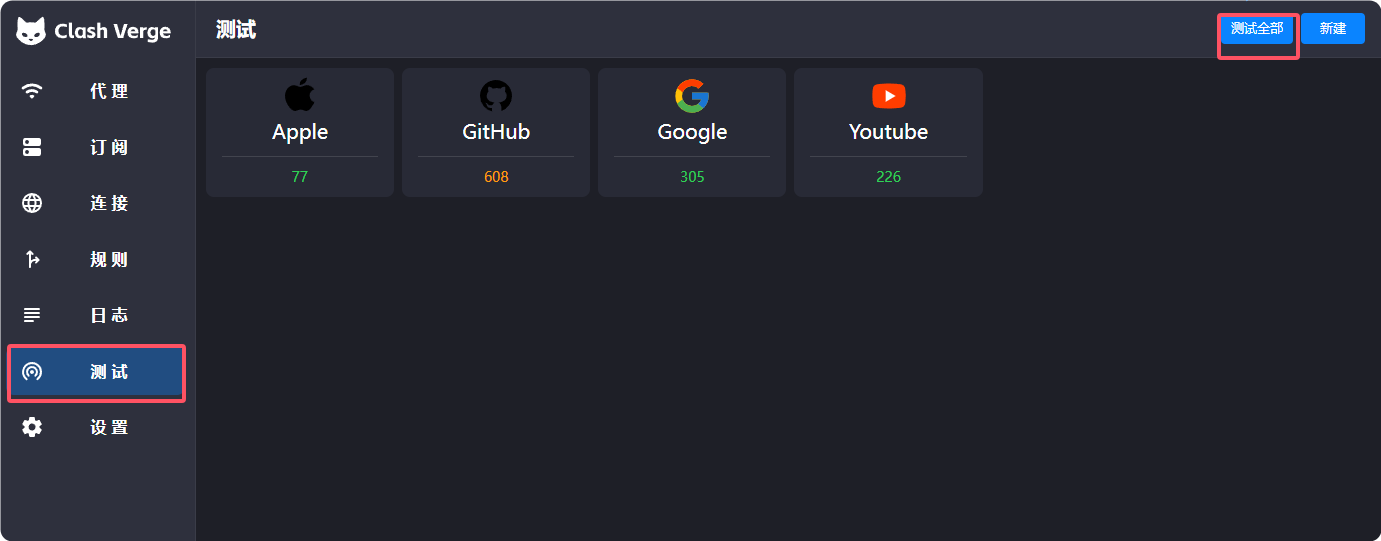
Open the test section and select Test All. Confirm that at least one intended node responds and that the websites you need actually open.
Frequently asked questions
- Download fails or is slow: Try the direct links above, use a different network, or use an existing working proxy to access GitHub.
- Subscription will not import: Confirm that the URL has not expired. Ask the provider for a current subscription URL if necessary.
- TUN will not start: Run with administrator or root privileges and close other VPN or proxy programs before retrying.
- Rule mode does not work: Confirm that Rule is selected on the Proxies page, then refresh the subscription.
Questions and updates
You may leave a comment with questions. If a reply is delayed, email admin@ermao.net.
For the most recent version of this guide, visit https://ermao.net/en/.