
Router VPN and Proxy Setup Guide—Compatibility, Hardware, and Risks
Configuring a VPN or proxy gateway on a router can route televisions, consoles, phones, computers, and other devices without installing a client on each one. It also centralizes DNS and routing policy, but it does not automatically protect every packet, override provider device rules, or make all devices safe.
The original 2025 article names specific router models and provider plans. Hardware revisions, firmware support, prices, domains, and server formats change, so every item must be checked before purchase or flashing.
Firmware warning
Never flash a model from a generic list. Verify the exact model, region, hardware revision, flash layout, official device page, image checksum, recovery process, and backup method. A wrong mtd command or image can permanently brick a router.
What router-level routing means
A router can establish a VPN tunnel or run a proxy-routing package and apply it to downstream devices. Depending on the design, traffic can be tunneled globally or split by device, destination, domain, or application.
Not all traffic is necessarily covered:
- some devices may use IPv6 or encrypted DNS outside the intended policy;
- applications can bypass an ordinary system proxy;
- local-network and IoT traffic should usually remain local;
- a failed tunnel can leak to the direct route unless a fail-closed policy exists;
- a proxy protocol protects only the path and traffic it actually handles.
Basic requirements
Hardware compatibility
Confirm one supported route:
- stock firmware includes the required VPN client mode—not merely a VPN server;
- the exact hardware revision is officially supported by OpenWrt, Asuswrt-Merlin, or another trusted firmware;
- the device has enough CPU, memory, flash, and thermal capacity for the chosen protocol and throughput.
Service compatibility
Confirm:
- the provider supplies a format the router can consume, such as OpenVPN, WireGuard, or a supported proxy subscription;
- the plan terms permit router use and the expected number of devices or IP addresses;
- the protocol works on the intended access network;
- credentials and subscription URLs can be stored and updated safely.
A retail “airport” subscription offering only Shadowsocks, Trojan, or V2Ray-family nodes will not work in a stock OpenVPN client without a compatible proxy package. Do not assume “multi-protocol” from promotional copy.
Network environment
You need:
- stable upstream broadband;
- enough baseline bandwidth for tunnel overhead;
- a non-conflicting LAN subnet;
- a clear DHCP, DNS, IPv4, and IPv6 design;
- a recovery path if the gateway fails.
Advantages
1. Centralized coverage
- phones, computers, tablets, and televisions can share one routing policy;
- devices do not each need a compatible client;
- configuration and updates can be managed at one gateway.
2. Devices without VPN clients
Router-level routing can cover:
- smart televisions and media players;
- PlayStation, Xbox, and Nintendo consoles;
- speakers, cameras, and other IoT devices.
Streaming catalogs and game latency still depend on the exit region, IP classification, and onward route.
3. Consistent network policy
- the tunnel can encrypt supported traffic between the router and VPN or proxy endpoint;
- destinations see the exit IP for tunneled connections;
- DNS and split-routing rules can be applied centrally.
It does not encrypt plaintext after the exit, prevent endpoint compromise, guarantee anonymity, or protect a home network merely because the router has a tunnel.
4. Operational convenience
One gateway can be simpler than maintaining many clients. It must still comply with the provider's device, concurrent-IP, household, and sharing rules. A router is not a legitimate way to evade contractual limits.
Limitations
Configuration complexity
- routing, DNS, DHCP, MTU, IPv6, and firewall knowledge may be required;
- third-party firmware can brick the device or void support;
- a central gateway failure affects the entire household.
Hardware performance
- encryption and packet processing consume CPU;
- rule sets and cores consume memory and flash;
- consumer routers may deliver much less tunneled throughput than their Wi-Fi link rate;
- heat and sustained load can reduce reliability.
Flexibility
- changing a server may affect every device;
- stock clients may have limited split routing;
- proprietary application features may be unavailable;
- per-application routing is harder when the router sees only network flows.
Providers named in the original article
The source promoted SSONE and CocoDuck. Their inclusion is a dated source record, not a current recommendation.
SSONE

The source claimed:
- CNY 10 per month for 60 GB;
- modern proxy protocols and low latency;
- nodes in Hong Kong, Japan, Singapore, and South Korea;
- access to Netflix, YouTube, Disney+, and ChatGPT;
- router compatibility and OpenVPN support.
However, the detailed SSONE source displays hello-ssone.com while registration links point to flybit6202.com. Its plan dataset documents proxy nodes but does not prove stock-router OpenVPN support. Resolve identity and format compatibility first. See the dated SSONE review.
CocoDuck
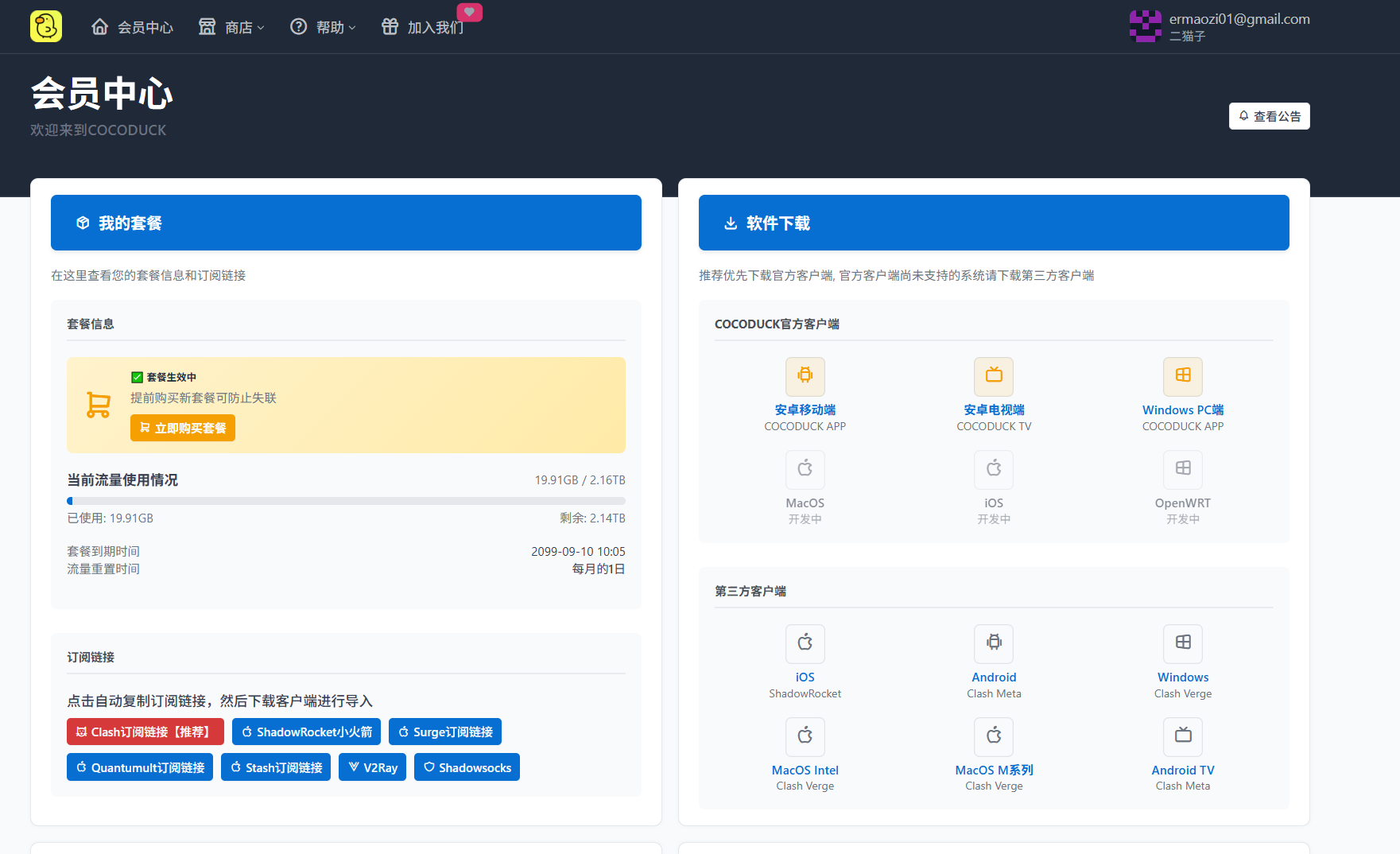
The source claimed:
- more than 40 nodes;
- routes in Hong Kong, Japan, and Singapore;
- V2Ray-family and Trojan support;
- OpenWrt and DD-WRT compatibility;
- an overseas team and four self-operated facilities;
- streaming and OpenAI access.
The source's operating-history dates conflict, and infrastructure and no-log statements lack independent evidence. Confirm an actual router-consumable format before purchase. See the dated CocoDuck review.
Service selection criteria
Performance
Measure:
- connection success and recovery after interruption;
- sustained throughput, latency, jitter, and loss;
- evening-peak results on the intended ISP;
- CPU use on the router;
- the exact streaming, work, or game application.
Security
Review:
- protocol and cipher configuration rather than a generic “AES-256” label;
- key exchange, forward secrecy, certificate validation, and credential storage;
- DNS and IPv6 leak handling;
- operator identity, retention policy, and independent audits;
- client and firmware update provenance.
Compatibility
Check:
- the exact router model and hardware revision;
- stock versus third-party firmware support;
- VPN client and proxy-package capabilities;
- automatic profile renewal and failover;
- plan permission for router use.
Service quality
Consider support response, documentation quality, refund terms, total price, data reset, traffic multipliers, device rules, and billing risk.
Router models listed in the source
These are historical examples, not current purchase recommendations. Product revisions under the same marketing name can use different chips or flash layouts.
ASUS
ASUS RT-AC86U
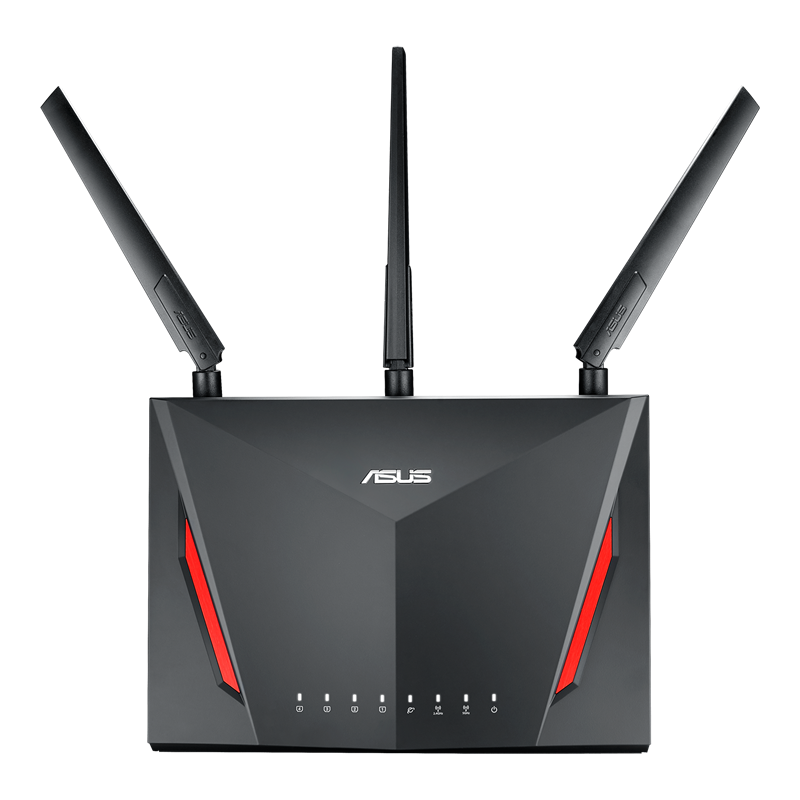
Source-listed attributes:
- 1.8 GHz dual-core CPU;
- AC2900-class dual-band Wi-Fi;
- stock VPN functions;
- stock or compatible Merlin-family firmware.
The source suggested it for medium-size homes and several devices. Verify current firmware maintenance and protocol throughput.
ASUS RT-AX88U
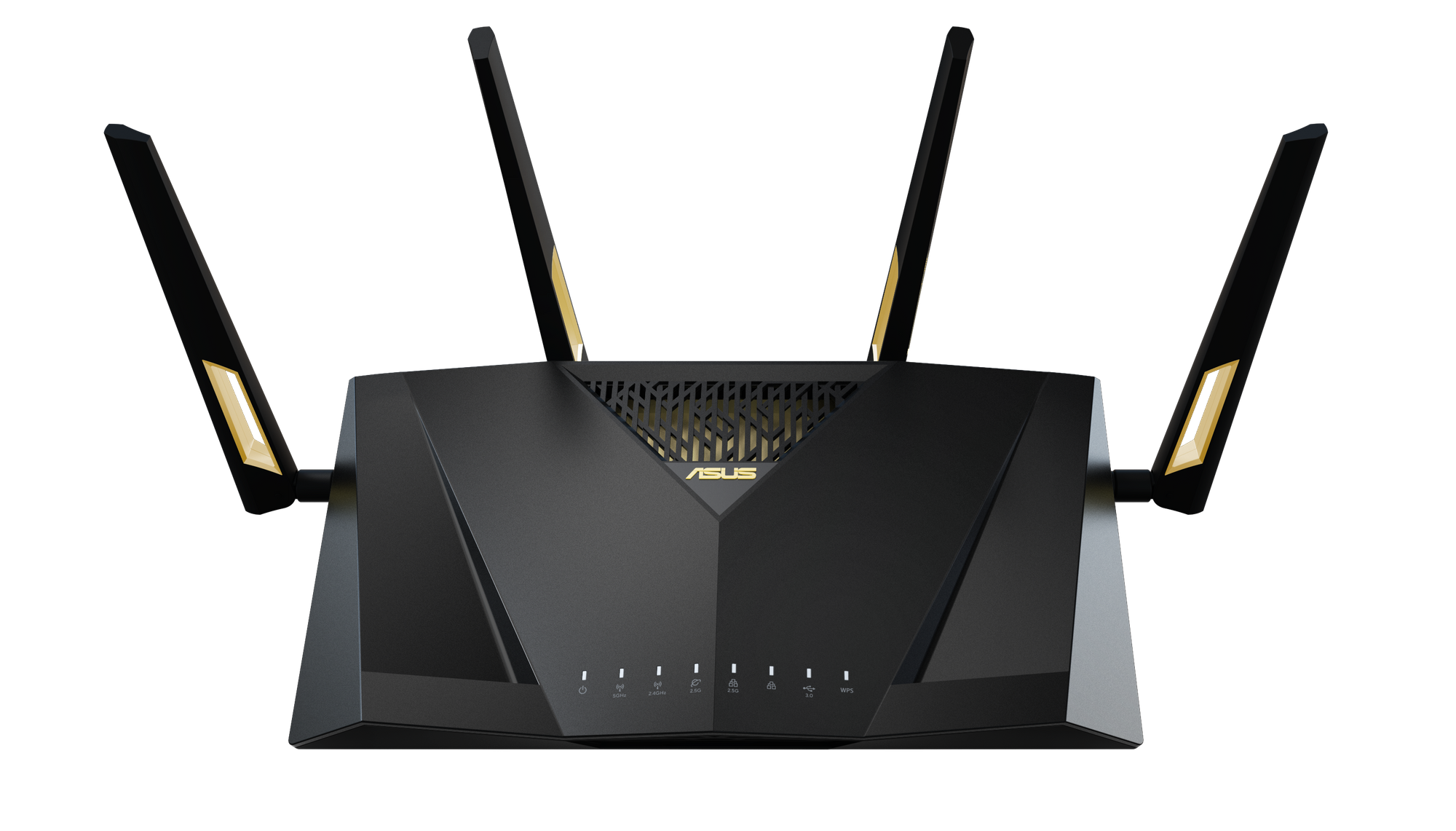
Source-listed attributes:
- 1.8 GHz quad-core CPU;
- Wi-Fi 6;
- 1 GB RAM;
- eight gigabit LAN ports;
- VPN and multi-device features.
Exact specifications and firmware support can differ by revision, including later “Pro” products.
NETGEAR
NETGEAR R7000
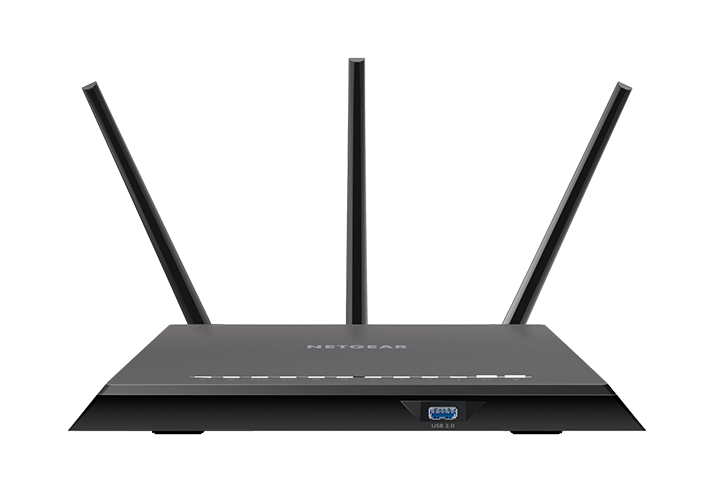
The source highlights its long market history, community documentation, and DD-WRT ecosystem. Age also means hardware performance, security maintenance, and flash-storage limitations must be reviewed carefully.
Linksys
Linksys WRT3200ACM
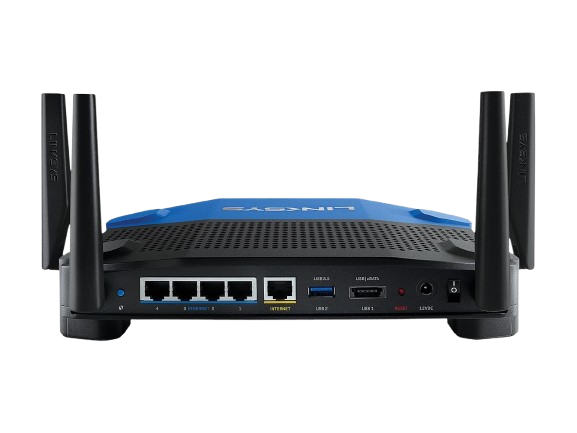
Source-listed attributes:
- third-party open-source firmware support;
- 1.8 GHz dual-core CPU;
- 512 MB RAM;
- flexible routing configuration.
Verify the current OpenWrt device page, Wi-Fi driver limitations, and image procedure before use.
TP-Link
TP-Link Archer C7
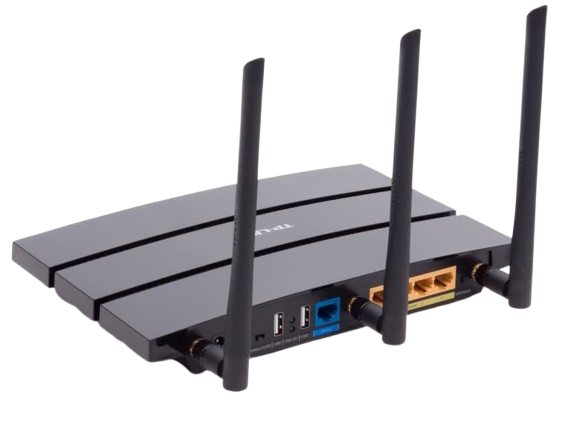
The source presents it as a lower-cost OpenWrt learning device for light use and smaller homes. Hardware versions vary substantially; do not use an image for another revision.
Huawei router considerations

Feasibility
The source says many consumer Huawei models, including AX3, AX3 Pro, and WS5200 variants, do not expose a stock VPN-client function. It also lists WS5200 quad-core, AX3 Pro, AX6, WS7100, AX2, and WS8200-series devices as models to investigate.
That list does not establish that they can all run a third-party VPN client or OpenWrt. Support depends on exact region and revision.
Method 1: stock VPN client, where present
- Open the documented management address, often
192.168.3.1or192.168.1.1. - Sign in with the administrator credential.
- Look under advanced network settings for a VPN client.
- If a supported client exists, select its protocol.
- Upload the provider configuration and enter credentials.
- Apply, connect, and test routing and leaks.
The source recommends OpenVPN, but the best supported protocol depends on the model, firmware, provider, and performance target.
Method 2: third-party firmware
Only if an authoritative device-specific procedure exists:
- identify exact hardware and bootloader;
- obtain and hash the matching firmware;
- back up all recoverable stock partitions and calibration data;
- prepare serial, recovery, or programmer access;
- install using the documented model-specific procedure;
- configure networking before installing VPN or proxy packages.
Generic steps such as “enter recovery mode and upload OpenWrt” are not sufficient instructions.
Huawei risks
- unsupported flashing can brick the device and affect warranty;
- a stock backup may not be enough without a tested restore method;
- lower-powered units may bottleneck encrypted throughput;
- lighter cryptography should not be chosen by weakening security below the threat model.
Xiaomi router considerations

Support in the source
The source says stock Xiaomi firmware is OpenWrt-derived but often omits a VPN client. It names Mi Router 3/R3, Router 4/R4, AC2100, AX1800, AX3600, and AX6000 as models for which third-party procedures may exist.
This is not a verified compatibility list. Region, board, flash, secure-boot state, bootloader, and firmware version matter.
Safe preparation
- use the official OpenWrt Table of Hardware or trusted device page;
- match the exact model and revision;
- verify whether SSH unlock is supported by the installed stock version;
- obtain backups and a recovery method;
- connect by Ethernet and use stable power.
About the source's flash command
There is no universal Xiaomi SSH-unlock or partition-write procedure. Match the exact model, region, hardware revision and installed firmware in the official OpenWrt Table of Hardware, then read that device's installation and recovery instructions. Prepare backups and a usable recovery path before any write. If the device or recovery procedure cannot be verified, do not flash.
Installing an OpenVPN client on a compatible OpenWrt build
After the router is safely running a supported OpenWrt release and has correct Internet access, the source installs:
# Refresh package indexes
opkg update

# Install the OpenVPN client
opkg install openvpn-openssl

# Install the LuCI OpenVPN interface
opkg install luci-app-openvpn
Package names and managers can differ by release. Verify package signatures, free space, architecture, and repository source. Then upload the configuration to the location required by that release, set credentials securely, define firewall and routing rules, and test.
Optimization
- choose hardware with enough sustained cryptographic performance;
- update only through trusted, compatible releases;
- monitor CPU, memory, flash, and temperature;
- configure reconnect and health checks without creating a rapid retry loop;
- test MTU rather than guessing.
TP-Link router considerations

Stock support
The source lists Archer C7 V2–V5, A7, C1200, AX50, C2300, and AX73 as devices to check for VPN functions.
TP-Link features vary by hardware revision, market, and firmware. Some products expose a VPN server but not a client. Confirm the manual for the exact unit.
Stock client configuration
- Open the documented interface, commonly
http://192.168.0.1orhttp://tplinkwifi.net. - Use the administrator credential set during initialization—do not assume
admin/admin. - Open
Advancedand findVPN Client. - If supported, select OpenVPN and upload the
.ovpnprofile. - Enter the provider credential and connect.
For an L2TP/IPsec client, the source lists server, username, password, and pre-shared key. L2TP/IPsec support and suitability are environment-specific; use a modern supported option when available.
Verify the result
- confirm tunnel state and assigned address;
- check public IPv4 and IPv6;
- test DNS behavior;
- confirm intended sites use the expected route;
- test a blocked tunnel to verify fail-closed behavior;
- compare throughput and latency with the direct connection.
Third-party firmware
For an exact device that OpenWrt supports:
- read the official device page and hardware-revision notes;
- obtain the correct factory versus sysupgrade image;
- back up and document stock data;
- prepare the documented TFTP, serial, or recovery path;
- follow the exact installation steps.
Reset timing, recovery addresses, image filenames and TFTP support are device-specific. Follow the exact hardware revision's official device page; recovery and first installation are not interchangeable.
DD-WRT may offer a graphical VPN interface on supported models. Confirm active maintenance, exact build support, security updates, and installation order.
Performance and stability
- use protocol settings that meet the security requirement;
- determine MTU with testing;
- watch CPU, memory, and temperature;
- configure measured health checks and failover;
- update firmware deliberately, with backups and a rollback plan;
- scheduled reboots should not substitute for diagnosing leaks or crashes.
Choosing a practical setup
Provider choice
The source calls SSONE a first choice and CocoDuck a backup. Their own detailed records contain unresolved evidence and identity issues, so this English version does not repeat that ranking.
Use:
Confirm that the selected plan really supplies a router-compatible profile.
Hardware choice
The source's dated suggestions were:
- home: ASUS RT-AC86U, NETGEAR R7000, or TP-Link Archer C7;
- higher end: ASUS RT-AX88U, Linksys WRT3200ACM, or a NETGEAR Nighthawk model.
Do not purchase from this list alone. Compare current security maintenance, exact OpenWrt or stock support, CPU benchmarks for the chosen protocol, memory and flash, Wi-Fi generation, power consumption, and recovery options.
Success criteria
Before changing the network:
- confirm hardware, firmware, and profile compatibility;
- back up the router and current network configuration;
- document how to return the household to direct access;
- store credentials securely.
After configuration:
- test IPv4, IPv6, and DNS;
- verify direct and tunneled rules;
- measure sustained throughput, latency, jitter, and loss;
- test tunnel failure, provider failure, reboot, and subscription refresh;
- confirm local printers, casting, games, and IoT devices still work;
- monitor resource use and temperature.
Troubleshooting
No connection
- verify upstream Internet access first;
- inspect system time, DNS, credentials, certificates, and logs;
- test another known-good server or protocol;
- check firewall zones and routes.
Low speed
- measure router CPU and thermal state;
- compare a nearby and a distant endpoint;
- test MTU and packet loss;
- confirm Wi-Fi is not the bottleneck;
- use a protocol the hardware can accelerate without weakening required security.
Instability
- inspect logs and health-check behavior;
- monitor memory, flash, and temperature;
- check power supply and cabling;
- update only to a compatible, trusted build;
- configure failover to an independently operated route.
Conclusion
Router-level routing is useful when several devices need one policy or cannot install clients. Its value comes with a larger failure domain and greater configuration responsibility. Choose hardware by current support and measured protocol performance, not an old marketing list. Choose a provider by format compatibility and short-term testing, not by unverifiable “stable” or “no-log” claims.
More resources
- Provider review index
- Clash Meta setup for Android
- Clash Verge setup for Windows, Linux, and macOS
- Shadowrocket setup for iOS
- Model-specific ImmortalWRT and OpenClash example
Scope
This page translates a dated overview. It is not a substitute for the current authoritative installation page for an exact router revision, and it does not promise that any service, protocol, or domain remains available.