
Redirect an Old Domain with Cloudflare
I migrated this blog from WordPress to GitHub Pages to reduce maintenance, hosting cost, and page weight. Existing articles already had incoming links, so the old hostnames needed to redirect to the new site without discarding each request path.
This guide uses a Cloudflare Single Redirect to send requests for blog.ermao.net and ermao.net to www.ermao.net.
1. Put the old hostnames behind Cloudflare
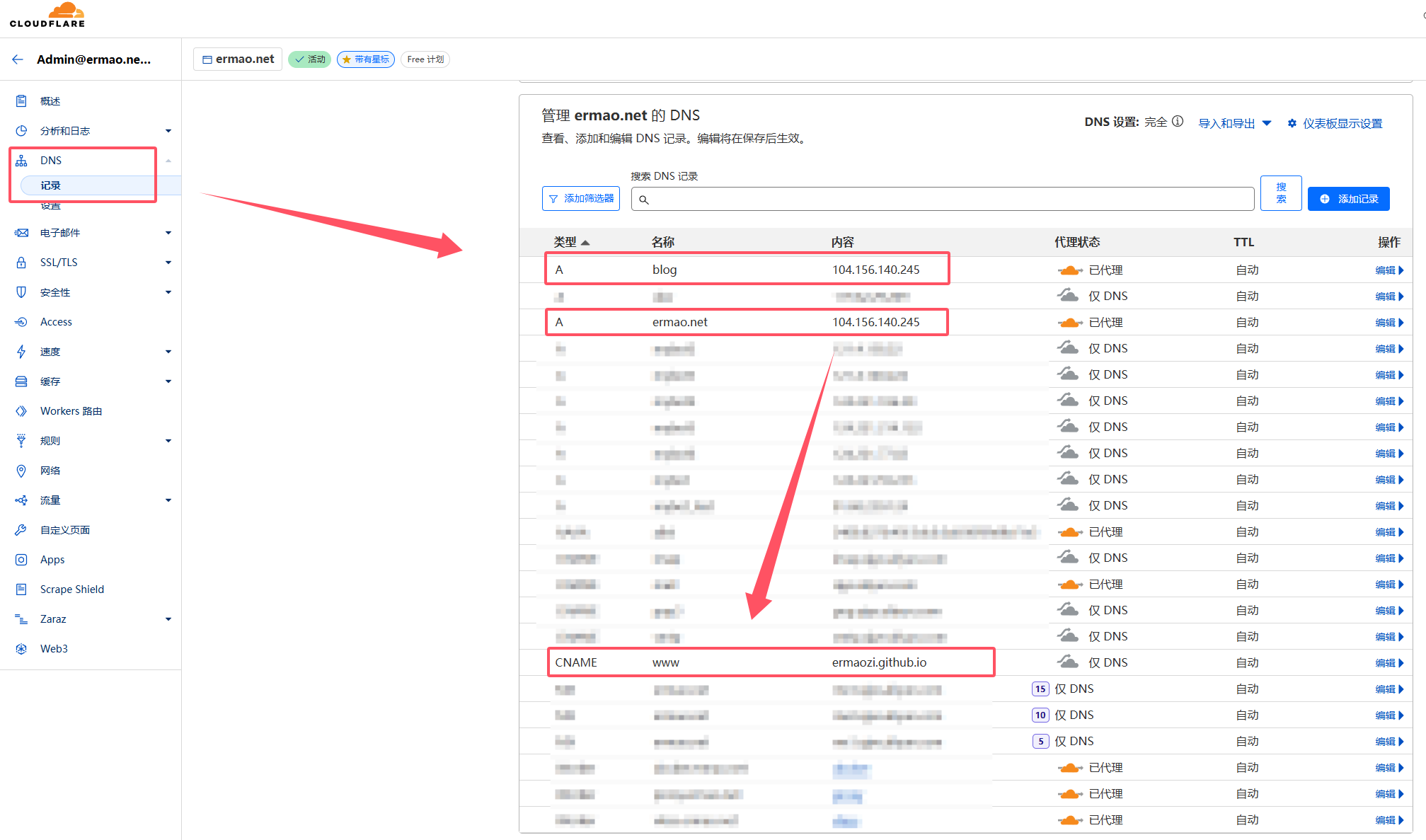
The incoming hostnames used by the redirect must exist in the Cloudflare DNS zone and have Proxy status: Proxied. Cloudflare's current Single Redirect documentation states that traffic for the matched hostname must be proxied.
Because Cloudflare returns the redirect at its edge, the old hostname does not need to reach the new site's origin. Do not point it at an unrelated real server, however; create an intentional proxied record appropriate for the zone or accept the DNS record offered by Cloudflare's rule workflow.
Configure the destination normally. In this example, www.ermao.net uses the DNS record required by GitHub Pages.
2. Create a redirect rule
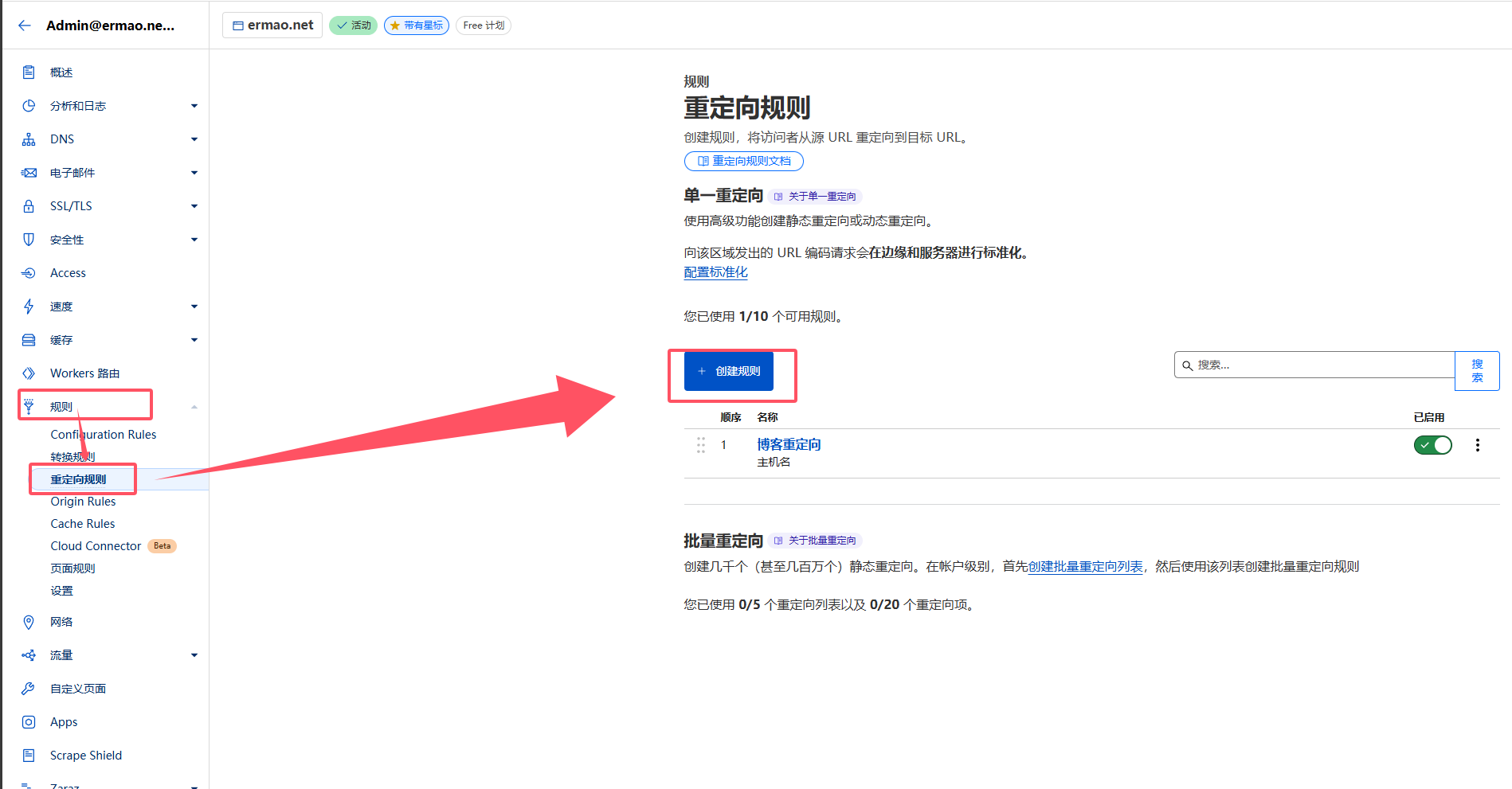
In the Cloudflare dashboard, open Rules → Redirect Rules, then choose Create rule → Redirect Rule.
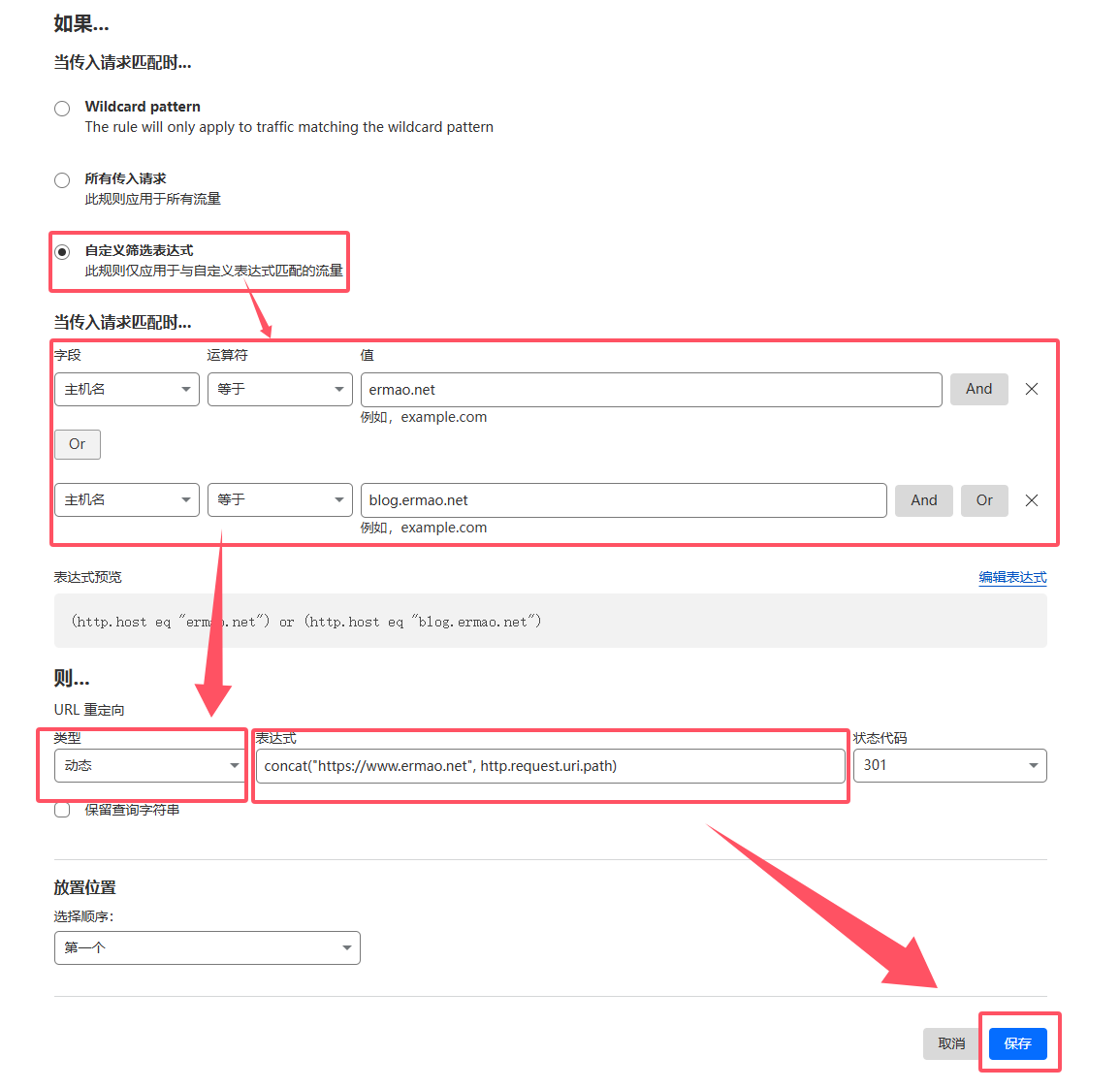
Give the rule a descriptive name and use a custom expression that matches only the old hosts:
(http.host eq "ermao.net") or (http.host eq "blog.ermao.net")Choose a dynamic target expression that retains the path:
concat("https://www.ermao.net", http.request.uri.path)Then configure:
- Status code:
301for an intended permanent migration; - Preserve query string: enable it if URLs such as
?page=2must remain intact.
Deploy the rule after reviewing the hostname filter. The destination hostname must not match the source expression, or the rule could create a redirect loop.
3. Test paths, query strings, and status codes
Cloudflare rule changes normally propagate quickly, though local DNS and browser caches can affect observations. Test several kinds of URL:
curl -I 'https://blog.ermao.net/posts/vpn/?source=old'Verify:
- the response is
301; - the
Locationheader useshttps://www.ermao.net; /posts/vpn/is preserved;- the query string is present when the option was enabled;
- the final destination returns the intended page rather than another redirect loop or a 404.
In this migration, https://blog.ermao.net/posts/vpn/ redirects to https://www.ermao.net/posts/vpn/.
4. Migration notes
A redirect preserves the route, not necessarily the content. If the new site's paths differ from WordPress, create explicit mappings for important pages instead of sending every old URL to the homepage. Keep redirects active long enough for users and search engines to update their references, and update internal links, canonical URLs, and sitemaps on the new site.