
Deploy aria2 with Docker and Use WebSocket RPC
This guide deploys aria2 in Docker and connects a browser controller over JSON-RPC. It also explains why WebSocket RPC is preferable to aggressive HTTP polling and how to put an intentionally remote endpoint behind TLS and access controls.
Background: Why HTTP Polling Caused High CPU Use
My home connection did not include a public IP address, so I used a tunneling service to reach services on the home network. The tunnel server later showed about 90% CPU usage:

The browser extension Aria2 Explorer had been configured with HTTP RPC:
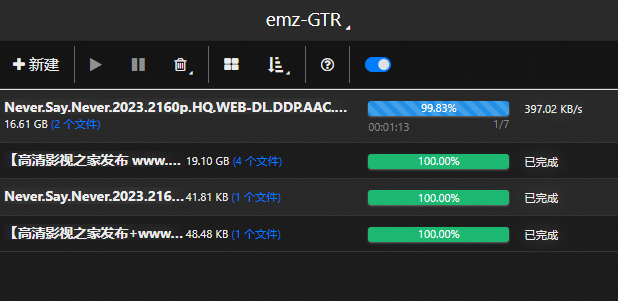
In this setup, repeated status polling generated substantial work for the tunnel. Switching the client to ws:// reduced the observed load because a WebSocket connection could carry ongoing RPC traffic without repeatedly establishing the same request pattern.
That result is specific to this deployment. High CPU can also come from encryption, logging, reconnection loops, too many tasks, or the tunnel itself. Measure request rate and process usage before assuming WebSocket is the only fix.
1. Install Docker from Official Instructions
Use Docker's current Debian installation guide or the matching page for your operating system. Docker does not recommend its convenience script for production. Prefer the official package repository instructions; inspect downloaded scripts and package sources before execution instead of piping a download straight into a shell.
Confirm the installation:
docker version2. Prepare Directories and a Secret
Create persistent directories owned by the user who will manage downloads:
mkdir -p "$HOME/aria2/config" "$HOME/aria2/downloads"Generate a separate random RPC secret for each instance and store it in a file readable only by your account. Do not overwrite an existing instance’s secret:
umask 077
openssl rand -hex 32 > "$HOME/aria2/rpc-secret"
Do not use passwd, the image's default token, or a secret copied from this page.
3. Start Aria2 Pro
The following command follows the current Aria2 Pro Docker image documentation, with an important security change: the RPC port is bound to loopback instead of every network interface.
docker run -d \
  --name aria2-pro \
  --restart unless-stopped \
  --log-opt max-size=1m \
  -e PUID="$(id -u)" \
  -e PGID="$(id -g)" \
  -e UMASK_SET=022 \
  -e RPC_SECRET="$(cat "$HOME/aria2/rpc-secret")" \
  -e RPC_PORT=6800 \
  -p 127.0.0.1:6800:6800 \
  -e LISTEN_PORT=6888 \
  -p 6888:6888/tcp \
  -p 6888:6888/udp \
  -v "$HOME/aria2/config:/config" \
  -v "$HOME/aria2/downloads:/downloads" \
  p3terx/aria2-pro
The variables mean:
PUIDandPGIDmap downloaded-file ownership to the current account.RPC_SECRETauthenticates JSON-RPC calls through aria2’s rpc-secret option; it does not encrypt transport. Do not share the secret file or container inspection output containing it.127.0.0.1:6800:6800binds the host RPC port to loopback. Docker publishes to all interfaces when the host IP is omitted. Releases older than 28.0.0 have a same-L2-network exception for loopback publishing; use a supported updated release and verify isolation.- TCP and UDP port
6888are used for BitTorrent and DHT listening. /configand/downloadspersist configuration and downloaded files.
Inspect startup:
docker ps --filter name=aria2-pro
docker logs --tail 100 aria2-pro
Pin an image digest or tested version for production instead of accepting an unreviewed future latest image automatically.
Do not expose port 6800 directly
An aria2 RPC client can add downloads and influence files written by the service. A secret is necessary but is not a complete public-internet security layer. Prefer a private VPN. If remote web access is required, use TLS, authentication, source restrictions, and rate limits in front of the loopback-bound RPC service.
4. Configure Aria2 Explorer
Install the extension from its official browser-store listing:
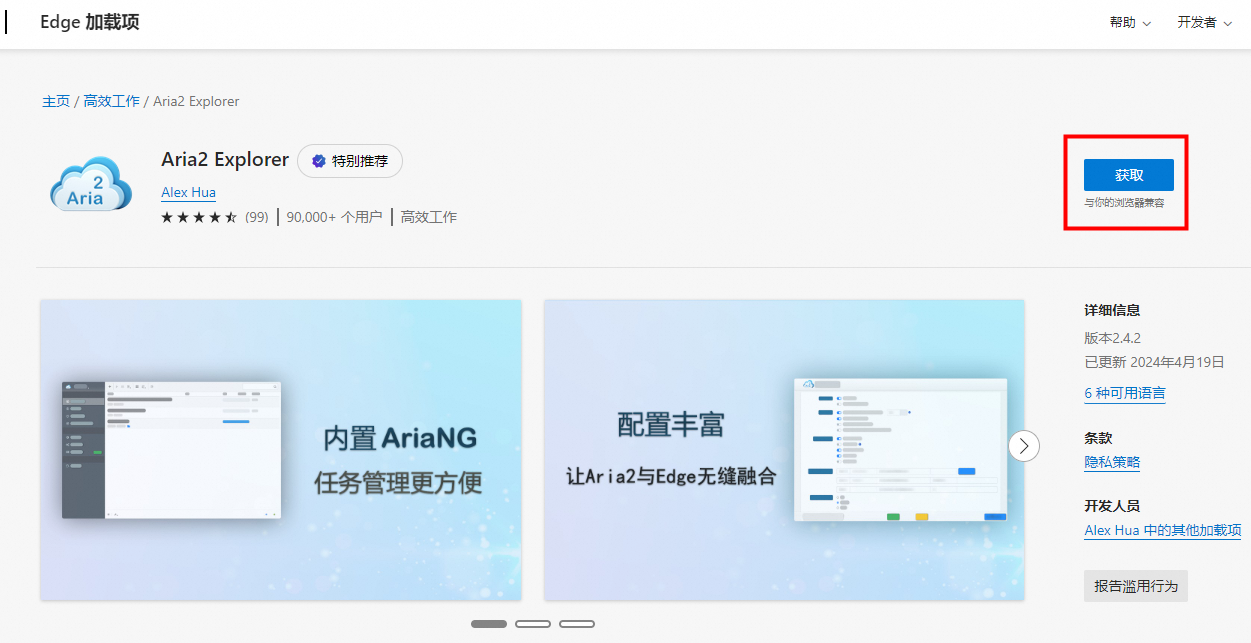
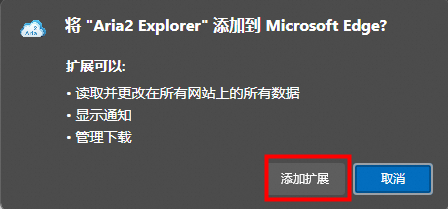
In its connection settings:
- Secret Key is the value stored in
~/aria2/rpc-secret. - RPC URL ends in
/jsonrpc. - Use
ws://only on a trusted private network. - Use
wss://for a TLS-protected remote endpoint.
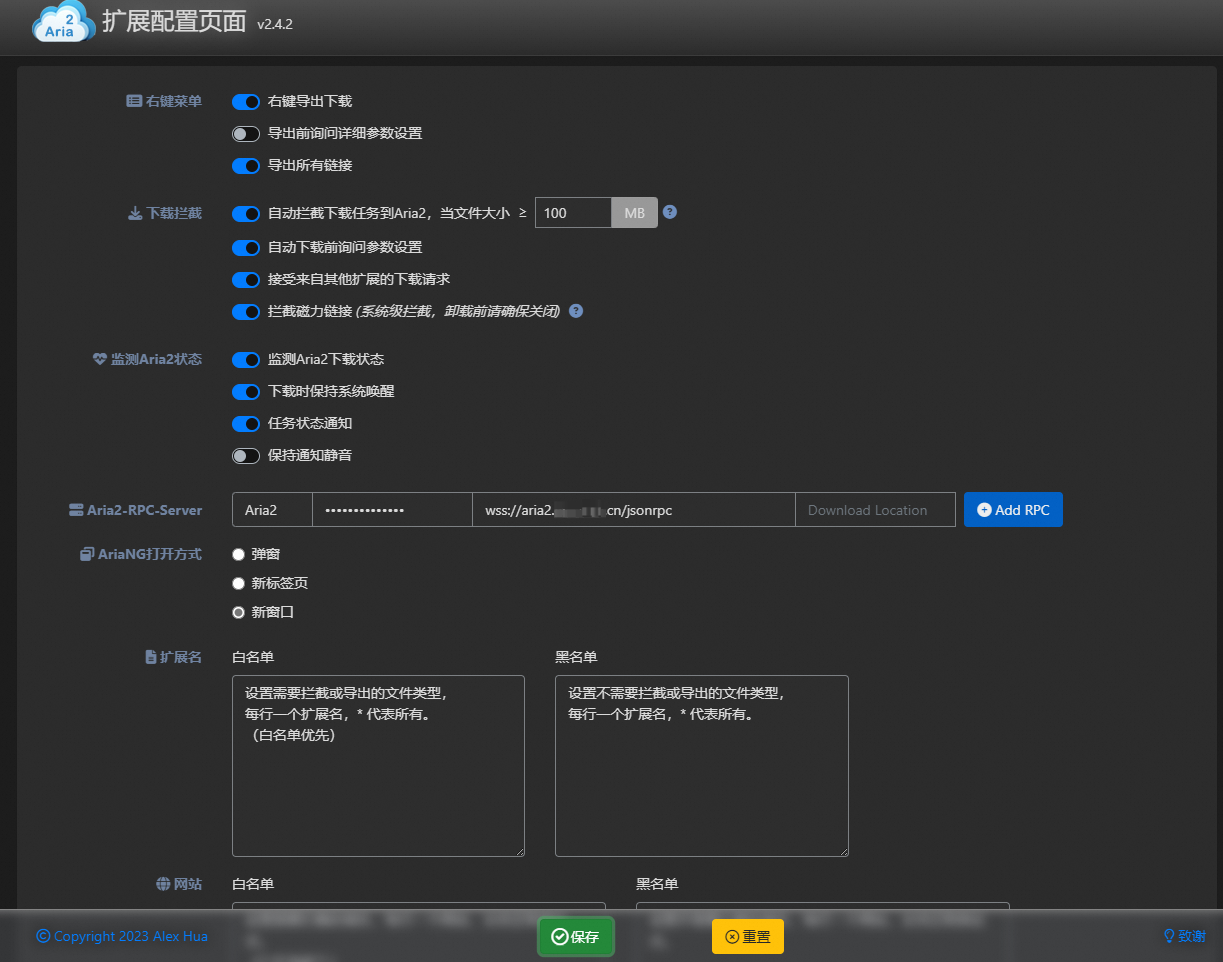
Local example (browser on the Docker host, or a local SSH forward to its loopback RPC port):
ws://127.0.0.1:6800/jsonrpcRemote TLS example:
wss://aria2.example.com/jsonrpcLoopback means the browser’s own device; another LAN client cannot directly reach the Docker host’s loopback port. Use a private tunnel or VPN path terminating on the host, or an access-restricted TLS proxy. Public wss encrypts transport but does not restrict who can connect. Domain names work with WebSocket: a proxy must forward the Upgrade and Connection headers, as described in the Nginx WebSocket documentation.
5. Reverse Proxy WebSocket RPC with Nginx
The original configuration included obsolete TLS 1.1 and legacy 3DES/RSA cipher choices. Modern Nginx should use a current TLS baseline managed for your distribution. The essential WebSocket proxy configuration is:
map $http_upgrade $connection_upgrade {
    default upgrade;
    ''      close;
}

upstream aria2_rpc {
    server 127.0.0.1:6800;
    keepalive 16;
}

server {
    listen 80;
    server_name aria2.example.com;
    return 301 https://$host$request_uri;
}

server {
    listen 443 ssl;
    server_name aria2.example.com;

    ssl_certificate     /etc/letsencrypt/live/aria2.example.com/fullchain.pem;
    ssl_certificate_key /etc/letsencrypt/live/aria2.example.com/privkey.pem;
    ssl_protocols TLSv1.2 TLSv1.3;


    location = /jsonrpc {
        # Replace with trusted client sources; keep deny all.
        allow 127.0.0.1;
        allow ::1;
        deny all;
        proxy_pass http://aria2_rpc;
        proxy_http_version 1.1;
        proxy_set_header Host $host;
        proxy_set_header X-Real-IP $remote_addr;
        proxy_set_header X-Forwarded-For $proxy_add_x_forwarded_for;
        proxy_set_header X-Forwarded-Proto $scheme;
        proxy_set_header Upgrade $http_upgrade;
        proxy_set_header Connection $connection_upgrade;
        proxy_read_timeout 300s;
        proxy_send_timeout 300s;
        proxy_buffering off;
    }
}
Place these blocks in the http context. Replace the hostname and certificate paths. The example allows only local proxy clients by default; configure trusted source addresses or a client-compatible authenticated gateway before remote use, keeping access restricted. If a tunnel uses port 26800, bind the tunnel listener to relay loopback or a restricted private interface and use that port in upstream. Pointing Nginx to loopback does not secure an otherwise public tunnel listener; never expose 26800 openly.
Use TLS 1.2/1.3, with an OpenSSL build supporting TLS 1.3. HTTP/2 is optional for this WebSocket proxy. The optional http2 on; directive requires Nginx 1.25.1 or later with the HTTP/2 module; omit it on unsupported versions.
Validate before reload:
sudo nginx -t && sudo systemctl reload nginxUse a private tunnel or VPN when possible. If the service must be internet-facing, add an authenticated gateway; the aria2 RPC secret travels within JSON-RPC calls and should not be the only boundary.
6. Troubleshoot CPU and Connection Problems
Check each layer:
docker stats aria2-pro
docker logs --tail 200 aria2-pro
sudo ss -lntp | grep -E ':(6800|6888)\\b'
On the proxy, inspect:
- request and WebSocket upgrade counts;
- repeated
101,400,401,499, or502responses; - reconnect loops;
- TLS CPU usage;
- tunnel process CPU and bandwidth; and
- whether the browser controller is open in many tabs.
Confirm that a successful WebSocket handshake returns HTTP 101 Switching Protocols. If it does not, verify the /jsonrpc path and the Upgrade and Connection headers.
Security and Legal Notes
Download only material you are authorized to obtain and share. Keep the container and host patched, limit write permissions on the download directory, scan untrusted files before opening them, and do not expose the Docker socket or aria2 configuration directory to unrelated services.