
Connect VS Code to DeepSeek V4: Set It Up in Ten Minutes and Spend Less Than a Subscription
Wiring DeepSeek V4 into VS Code is one of the highest-value configurations I have made recently.
The first time I pasted in an API key and watched the editor suggest a line of code, one thought stuck with me: I really don't need to pay a hundred-plus dollars a month for an AI subscription anymore. This article gets straight to the point—what it gets you, how to set it up, what it costs, and who it is for.
Current API model identifiers
Use deepseek-v4-pro for Pro and deepseek-flash for Flash, as listed in the official API guide. The legacy deepseek-v4-flash identifier remains accepted, but requests are served by the current Flash model; it does not select the original V4 Flash model. Historical screenshots show the interface at the time; use the model IDs in the text below when configuring a client.
Very bad news
Shortly after this article was published, DeepSeek announced a significant price hike. Rating downgraded from "sage" to "scoundrel"—further downgrades depend on the magnitude and the quality of the Pro official version.
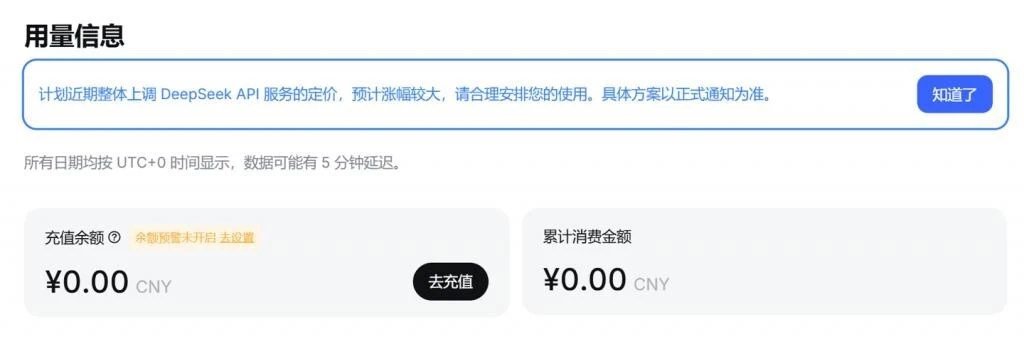
The per-unit pricing calculations in this article are no longer a useful reference. Please check the official DeepSeek pricing page for current rates.
What's in it for you
Before the tutorial, let's be clear about whether it is worth the trouble.
- The whole project is context: The extension can read the file you have open, your selection, or even your entire workspace. It answers based on your real code, not on a snippet you copy-pasted. Once you experience that difference, there is no going back.
- No more tab-hopping: Autocomplete, questions, and edits all happen inside the editor, so you stay in flow. Before, when I got stuck I had to switch to a browser, paste the error to an AI, and switch back to copy the fix—by the time I was done, my patience was gone.
- Cheap, genuinely cheap: DeepSeek bills per usage with no monthly commitment. Use little, pay little; even heavy use runs to a few dollars or a few tens of dollars a month. Compared with subscription assistants that cost a hundred or more per month, the value gap is obvious.
- Clear data flow: Conversations go through your own API key directly to DeepSeek's official endpoint, not through third-party web pages, so it is easy to reason about where your data goes.
- No proxy hassle:
api.deepseek.comis directly reachable from mainland China without extra proxy configuration.
What you need first
Three things before you start:
- VS Code installed (Windows / macOS / Linux all work).
- A DeepSeek platform account: sign up at the DeepSeek Open Platform and complete identity verification—it takes a few minutes.
- An API key: log in → console → "API Keys" → create. You get a key starting with
sk-. It is shown in full only once, so save it right away.
Your key is money—don't share it
Your API key is the key to your wallet; every call is billed against it. Don't commit it to a Git repository or paste it into a group chat. If you suspect a leak, delete it in the console and generate a new one immediately.
How to connect: three ways to choose from
There is more than one way. I have mapped them to three types of users:
| Your situation | Recommended option | New extension? |
|---|---|---|
| No AI extension installed yet | Option 1: Continue | Yes (free) |
| Already using GitHub Copilot | Option 2: DeepSeek for Copilot | No—just add a model |
| Want AI to read/write files and run commands | Option 3: Cline | Yes (free) |
Option 1: Continue extension (best if you've never installed an AI tool)
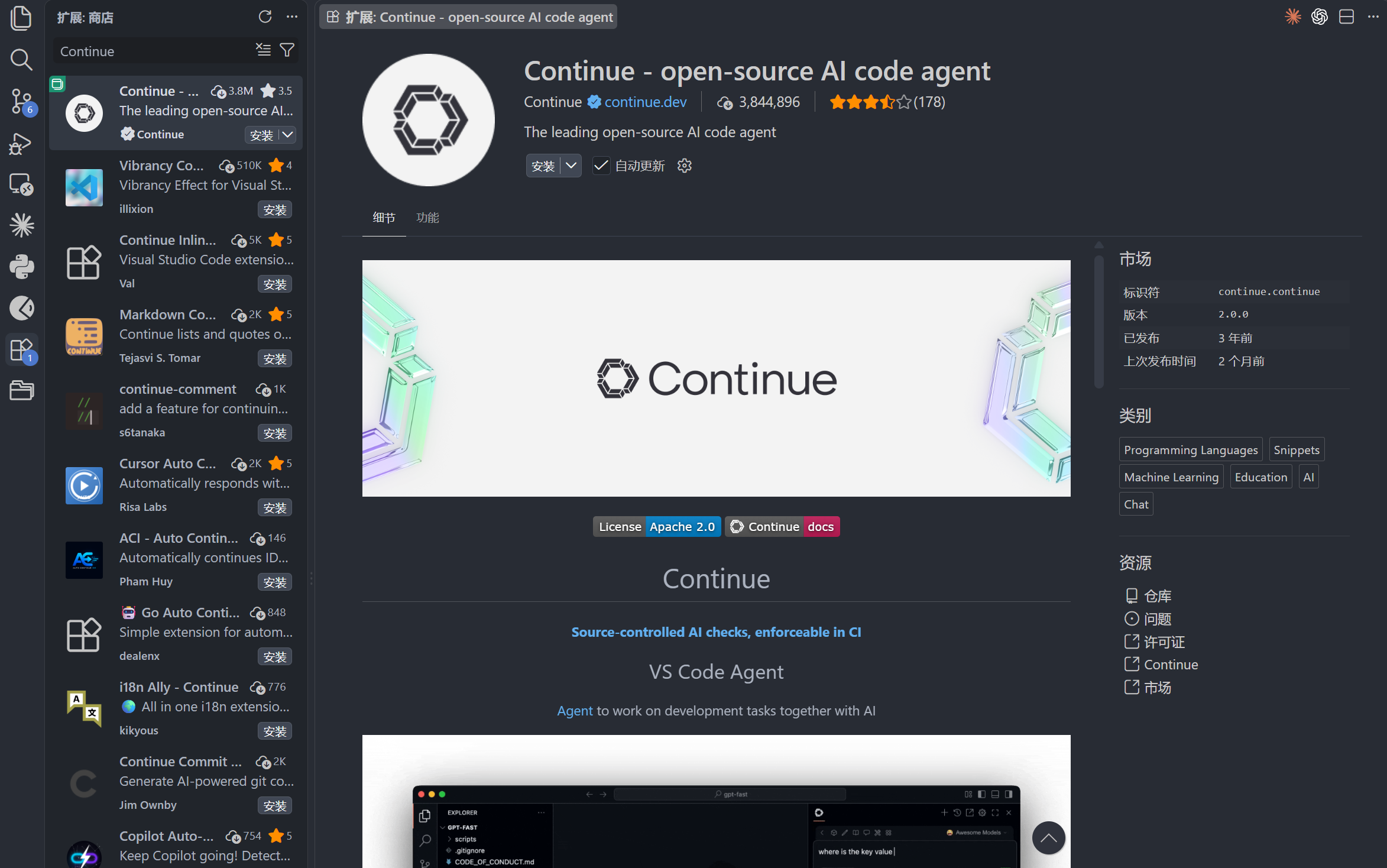
Continue is one of the most popular open-source AI coding assistants. It supports autocomplete, chat, and editing, with flexible, free configuration—a good fit if you are new to AI coding assistants.
- Open VS Code, search for Continue in the extensions marketplace, and install it. A welcome page appears in the bottom right when it finishes.
- Press
Ctrl+Shift+P(Cmd+Shift+Pon macOS) to open the command palette, typeContinue: Open Config, and press Enter to open Continue's config file at~/.continue/config.json. - Add a DeepSeek model to the config (DeepSeek uses an OpenAI-compatible API, so set provider to
openai):
{
  "models": [
    {
      "title": "DeepSeek V4",
      "provider": "openai",
      "model": "deepseek-v4-pro",
      "apiBase": "https://api.deepseek.com/v1",
      "apiKey": "sk-paste-your-key-here"
    },
    {
      "title": "DeepSeek V4 Flash",
      "provider": "openai",
      "model": "deepseek-flash",
      "apiBase": "https://api.deepseek.com/v1",
      "apiKey": "sk-paste-your-key-here"
    }
  ]
}- Save the file and restart Continue. Then select DeepSeek V4 or DeepSeek V4 Flash from the model dropdown in the sidebar and start chatting and completing code.
Which model should you use?
For everyday coding where speed matters, use Flash; for complex tasks, long code, or architecture design, switch to the flagship V4. Configure both and switch freely—that's the most stable setup.
Option 2: DeepSeek for Copilot (best if you already use Copilot)
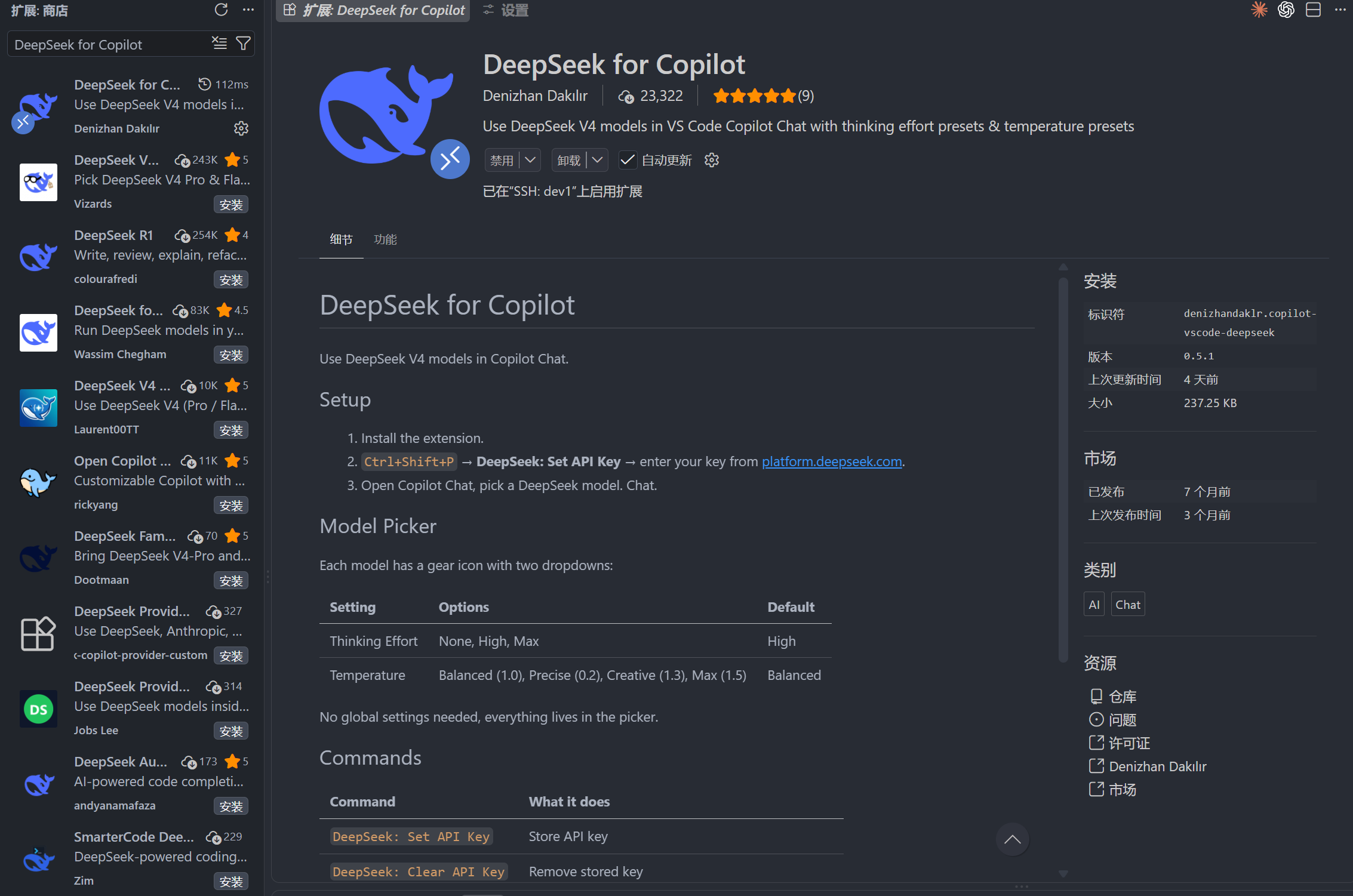
DeepSeek provides an official way to use DeepSeek models directly inside GitHub Copilot (DeepSeek for Copilot), which sits on top of Copilot's BYOK (Bring Your Own Key) mechanism. If you already have the official GitHub Copilot extension installed, no third-party plugin is needed—just add a model:
- Make sure GitHub Copilot and GitHub Copilot Chat are both installed (both are free; Chat requires signing in with a GitHub account).
- Open settings:
Ctrl+Shift+P→ typePreferences: Open Settings (UI)→ search forcopilot chat. - Find the Models & Providers section (or
chat models) and click "Manage" to open the model management page. - Add a new model provider, choose OpenAI Compatible, and fill in three things:
- Base URL:
https://api.deepseek.com/v1 - API Key: your DeepSeek key
- Model name:
deepseek-v4-proordeepseek-flash
- Base URL:
- After saving, select the added DeepSeek model in Copilot Chat for chat and editing tasks supported by that model. BYOK does not switch editor inline suggestions (the gray code completions shown while typing) to DeepSeek; those use separate Copilot models and plan entitlements. See the official VS Code BYOK considerations.
Why pick this route
If your company or school already bought Copilot, or you are used to Copilot's interaction, this is the smallest change: no new extension, just a different model. DeepSeek calls are billed by API usage. Copilot inline-completion availability and quotas depend on your Copilot plan; adding a DeepSeek API key does not grant unlimited free completions.
Option 3: Cline extension (best if you want AI to act on its own)
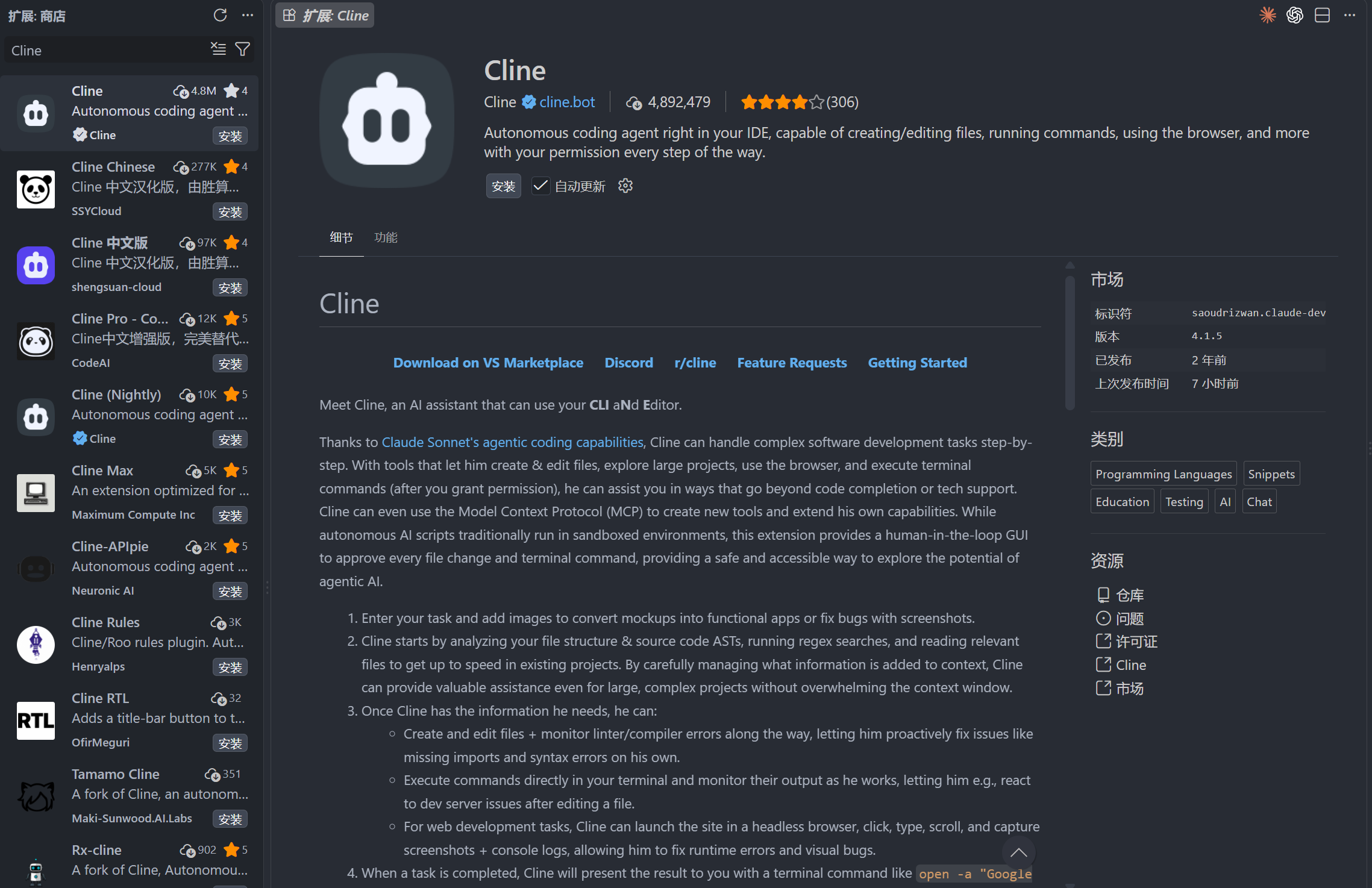
If you want AI to do more than chat—reading and writing files, running commands, running tests—use Cline:
- Search for Cline in the extensions marketplace and install it.
- Open Cline settings and choose DeepSeek as the provider; if it is not in the list, select OpenAI Compatible.
- Set Base URL to
https://api.deepseek.com/v1, model name todeepseek-v4-proordeepseek-flash, and API key to your key. - Grant Cline access to your workspace, then ask it to "write a test" or "refactor this function"—it will do the work itself.
Bigger permissions, bigger risk
Agent tools like Cline can read/write files and run commands—powerful but dangerous. Practice in a test directory or on a temporary branch first, and only relax permissions once the behavior matches your expectations.
Token budget: know what it will cost
A token is roughly how a model counts "words"; in Chinese, one character is roughly one token. Usage (token count) drives the bill, so this is the part you need to understand.
How billing works
DeepSeek bills input tokens and output tokens separately:
- Input (what you ask, the context you feed it) is cheaper; output (what it generates) costs more.
- Cached input (for example, project context reused over and over) is even cheaper.
- Exact prices follow DeepSeek's real-time official pricing; the V4 family is generally very competitive for its class.
Here is an example with sample prices to show the math (check the official page for real numbers):
| Item | Input (per million tokens) | Output (per million tokens) |
|---|---|---|
| DeepSeek V4 | ¥4 | ¥16 |
| DeepSeek V4 Flash | ¥1 | ¥4 |
A typical code autocomplete: ~800 input tokens + ~120 output tokens, roughly:
A full-context conversation: ~20,000 input tokens + ~2,000 output tokens, roughly:
In other words, even dozens of uses a day come to a few or a few tens of yuan a month—far cheaper than a subscription.
How much did this very article cost?
Since the topic is budgeting, let's lay out this article's own cost as a real reference. The finished file: about 2,400 Chinese characters, plus Markdown syntax, tables, and code blocks, roughly 5,800 characters in total. For a Chinese-dominant text, each character is about 1–1.5 tokens; adding English, code, and formatting, a single generation outputs about 4,600 tokens. During writing I also read existing article formats in the project and a few reference posts (that input is about 2,800 tokens).
Using the sample prices above, the bare cost of a single draft is roughly:
But 0.085 CNY is only the cost of "one generation." A publishable article involves rounds of outlining, revising, filling gaps, and fact-checking, and all of those also burn tokens. This piece, from first draft to final version (including all revisions), cost about 0.32 CNY—that is the real cost of daily AI writing, and a far more useful reference.
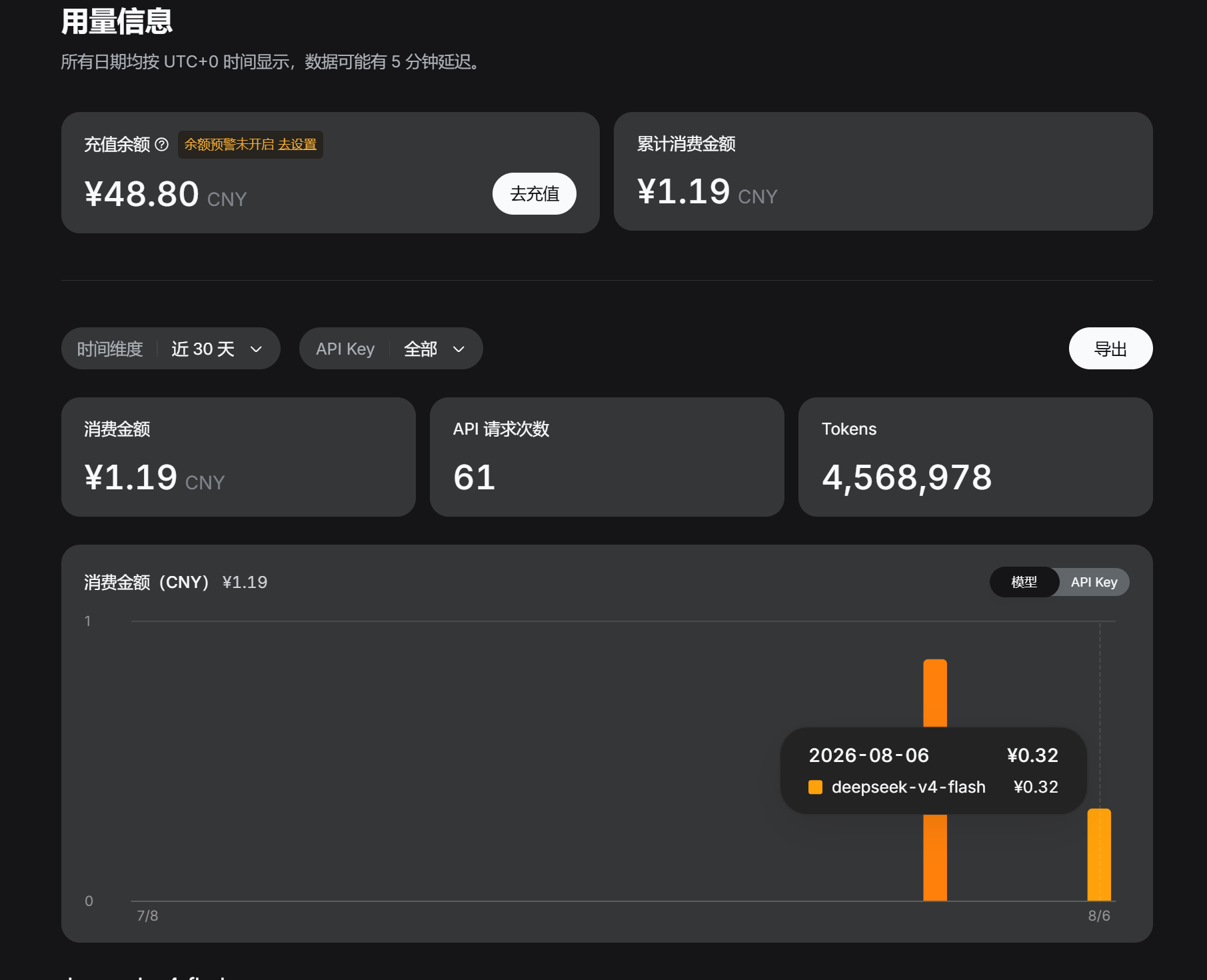
What does 0.32 CNY mean? A complete tutorial of more than two thousand characters, with tables and code blocks, costs less than an ice cream bar—and you can ask for changes any time. That is the real gap between API metered billing and subscriptions. When you use it for coding yourself, the cost will probably be even lower, since autocomplete and short Q&A dominate.
Five tips for keeping costs down
- Use Flash for small things: autocomplete, Q&A, and comments use the lightweight model; save the flagship for hard tasks.
- Don't feed the whole project: give it only the relevant files or selection; smaller context means a smaller bill.
- Enable caching: turn on context caching in the extension so reused content is billed at a discount.
- Limit output length: set
maxTokensto prevent long, irrelevant generations. - Set a usage alert: use the balance/usage reminder in the DeepSeek console so you aren't surprised at the end of the month.
About the sample prices
The prices in the table above are sample values I used to illustrate the math—not DeepSeek's real-time official prices. Check the official pricing page for actual rates, and the official model list for model names.
Best use cases
Once connected, these are the scenarios where it helps most:
- Code autocomplete: finish the function you are mid-way through, or repetitive boilerplate, with
Tab. - Explain unfamiliar code: drop in uncommented legacy code and have it explained line by line.
- Write unit tests: generate test cases from existing functions, then review edge cases yourself.
- Refactoring and migration: let it propose an approach for modernizing old code or switching libraries before you start.
- Debugging: paste a terminal error and quickly narrow down the cause and fix.
- Commit messages: have it summarize the changes into a clean commit message.
- Comments and docs: add JSDoc to functions or write a README for a module—both are its strengths.
Who is it for
- Full-stack / frontend / backend developers who code daily: the main audience; autocomplete and Q&A save the most time.
- Students and self-learners: limited budget, need a "tutor" that answers any time—metered billing is friendly.
- Independent developers and freelancers: no team-managed AI tooling; wiring your own is cheap and painless.
- Small and medium teams: want help with code review and filling test gaps without being locked into a subscription.
- People sensitive about data privacy: prefer not to paste code into public web pages; using your own key through the official endpoint feels safer.
Boundaries worth noting
- DeepSeek V4 is a cloud model; it requires a network connection and cannot run offline. For fully offline, data-stays-local scenarios, see our local DeepSeek deployment guide.
- Among the three options, Continue and Cline require you to maintain the API key and config yourself; DeepSeek for Copilot relies on GitHub Copilot's BYOK feature, whose exact support depends on GitHub's official documentation.
FAQ
Is it free to connect? Connecting is free (no cost for extensions or configuration); model calls are billed per token. Light use runs to a few yuan a month.
Do I need to bypass the GFW? No—api.deepseek.com is directly reachable from mainland China.
How does it compare with GitHub Copilot? It depends: the official Copilot subscription (with closed-source models like GPT) is not cheap. But Option 2 in this article—DeepSeek for Copilot—lets you keep Copilot's interface while swapping in metered, pay-as-you-go DeepSeek V4. If you want Copilot's interaction without the subscription lock-in, that is the sweet spot.
Can others see my code? Your code is sent to DeepSeek's official endpoint using your own API key, so the data flow is clear. For commercial or confidential production code, first confirm your company's compliance requirements and, if needed, review DeepSeek's privacy and security documentation.
Further reading
- Run DeepSeek locally with Ollama: if you care about keeping data entirely local, the local-deployment route complements the API approach here.
- Free DeepSeek guide: if you want to try DeepSeek for free first, start there.
Wrap-up
The one-line summary: If you already use Copilot, switch its model to DeepSeek via DeepSeek for Copilot (Option 2); if you have no extension yet, install Continue with Flash to get going (Option 1); if you want AI to act on its own, use Cline (Option 3).
Setup takes under ten minutes, and going from first draft to final version costs about 0.32 CNY, so the cost of trying is nearly zero. DeepSeek's API model brings "AI-assisted coding" into a rational, pay-per-use era—where what you spend, what you get, and whether it's worth it are all clear.
Tools and sources: Continue's official configuration docs, GitHub Copilot's official models and BYOK documentation, and the DeepSeek platform with its pricing page.